Excel Calendar Template 2026
Plan your 2026 with this free Excel calendar template for 2026. Yearly overview plus all 12 months. Track events, holidays, and goals. Download Excel. No signup required.
Free
No signup
Excel, CSV
Productivity
2026-06-19
What Is This 2026 Calendar Template?
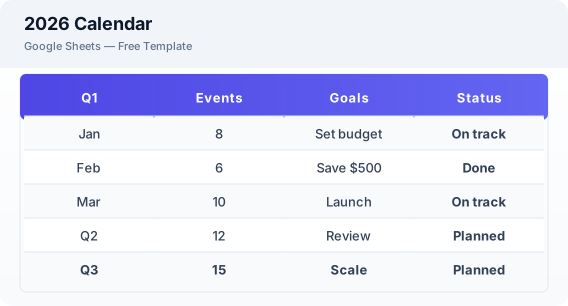
This 2026 calendar template for Excel is a free spreadsheet for planning your entire year. It features a yearly overview, individual monthly tabs for January through December 2026, holiday markers, and goal tracking to help you stay organized all year long.
Why Use a Google Sheets 2026 Calendar Template?
A Excel calendar gives you full control over your planning without being tied to a specific calendar app. You can customize views, print months, share with family, and access your calendar from any device.
When Should You Use This 2026 Calendar Template?
Use this template at the end of 2025 or beginning of 2026 to plan the year ahead. It works alongside the weekly planner for detailed weekly views and the daily planner for daily task management.
What's Included
- ✓2026 yearly overview
- ✓January — December 2026 tabs
- ✓US public holidays
- ✓Daily event space
- ✓Goal tracking section
- ✓Notes per month
How to Use This Template
Who This Template Is For
Available Formats
Excel (.xlsx) — Download the file and open it in Microsoft Excel, Apple Numbers, or any compatible spreadsheet application.
CSV — Download the comma-separated values file for use in data applications, databases, or legacy spreadsheet software.
Customization Tips
- 💡Set your annual goals in the January tab and review progress each month.
- 💡Color code by category — blue for work, green for personal, red for deadlines.
- 💡Use the notes section in each month to capture highlights and memories.
Use Cases
- 2026 yearly planning
- New Year resolution tracking
- Annual event scheduling
Download or Copy
Frequently Asked Questions
Related Templates
Last updated: 2026-06-19