Project Risk Tracker Gantt Chart Template for Excel
Track project tasks with risk levels using this free Excel Gantt chart template. Color-code tasks as on track, low risk, medium risk, or high risk. 1,539 formula-driven cells for automatic timeline calculation. No signup required.
Free
No signup
Excel
Business
2026-07-12
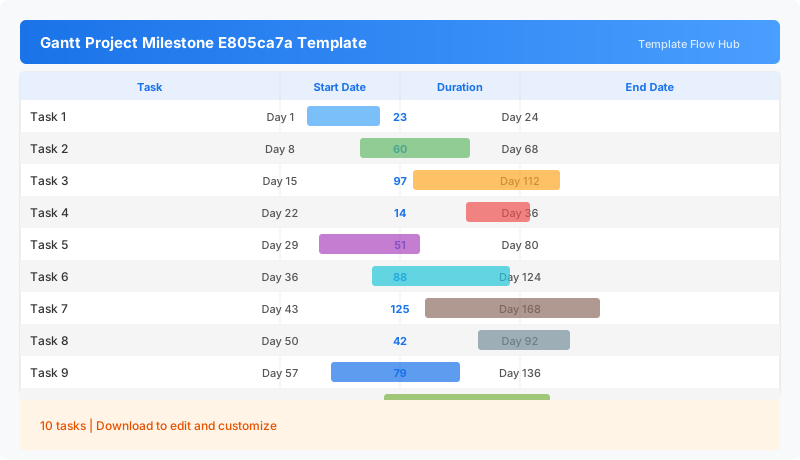
What Is This Project Risk Tracker Template?
This project risk tracker template is an Excel workbook for managing tasks with built-in risk level classification. Each task receives a risk status—on track, low risk, medium risk, or high risk—so project managers can instantly see which items need attention. The 1,539 formula-driven cells handle date calculations, duration tracking, and Gantt bar positioning automatically.
Why Use a Google Sheets Project Risk Tracker Template?
Standard Gantt charts show what needs to be done and when, but they don’t communicate how healthy each task is. This template adds a risk dimension to the timeline, making it useful for status reports, executive reviews, and portfolio-level oversight. Instead of flipping between a schedule and a risk register, you get both in one view.
When Should You Use This Project Risk Tracker Template?
Use this template during monthly project status reviews, when reporting to steering committees, or when managing a portfolio of projects that need consistent health tracking. It is especially useful for PMOs that need a standardized risk reporting format across all projects.
What's Included
- ✓Project title and company name header
- ✓Task list with start and end dates
- ✓Automatic duration calculation
- ✓Risk level legend (On Track, Low Risk, Medium Risk, High Risk, Unassigned)
- ✓Color-coded risk status per task
- ✓1,539 formula-driven cells
How to Use This Template
Who This Template Is For
Available Formats
Excel (.xlsx) — Download the file and open it in Microsoft Excel, Apple Numbers, or any compatible spreadsheet application.
Customization Tips
- 💡Use the risk colors to flag tasks that need management attention.
- 💡Add milestone rows with medium or high risk to track critical path items.
- 💡Extend the task list for larger projects with additional rows.
- 💡Share the workbook in status meetings for instant risk visibility.
Use Cases
- Project risk assessment and tracking
- Task health status monitoring
- Executive project portfolio reporting
- Milestone risk flagging
- Team task progress visibility
Download or Copy
Frequently Asked Questions
Related Templates
Last updated: 2026-07-12