Project Duration Tracker Gantt Chart Template for Excel
Monitor task durations across your projects with this free Excel Gantt chart template. Enter project names with start and end dates, and the template calculates duration automatically with hidden chart data. No signup required.
Free
No signup
Excel
Business
2026-07-12
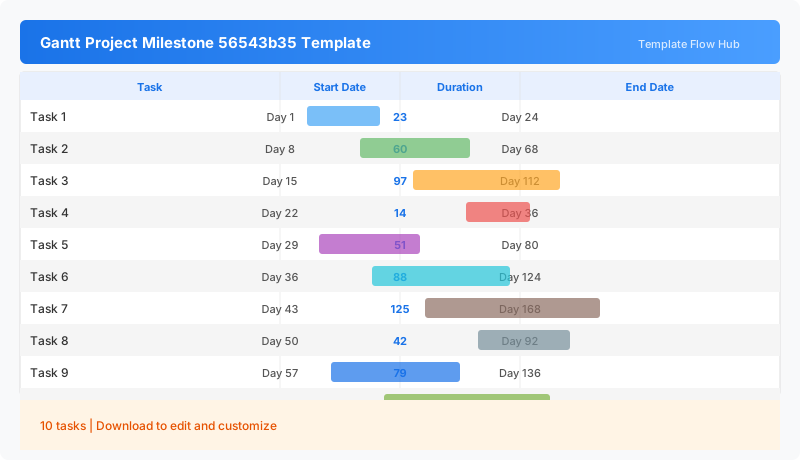
What Is This Project Duration Tracker Template?
This project duration tracker is an Excel workbook for tracking how long each task or project takes. Enter project names with start and end dates. The workbook 50 formulas compute the duration and feed a hidden chart data sheet that powers the Gantt timeline visualization.
Why Use a Google Sheets Project Duration Tracker Template?
Tracking task durations helps you understand how long work actually takes versus how long you planned. This template gives you a simple way to record dates and see durations at a glance, which is useful for time estimation, capacity planning, and project retrospectives.
When Should You Use This Project Duration Tracker Template?
Use this template during project planning to set expected durations, during execution to track actual dates, or after project completion to analyze time spent versus estimates.
What's Included
- ✓Project name and date entry table
- ✓Start date and end date columns
- ✓Automatic duration calculation
- ✓Hidden dynamic chart data sheet for Gantt rendering
- ✓50 formula-driven cells
How to Use This Template
Who This Template Is For
Available Formats
Excel (.xlsx) — Download the file and open it in Microsoft Excel, Apple Numbers, or any compatible spreadsheet application.
Customization Tips
- 💡Use consistent date formats across all rows for accurate calculations.
- 💡Add milestone rows with single-day durations to flag key dates.
- 💡The hidden chart data sheet is essential for the Gantt view—keep it intact.
Use Cases
- Project duration tracking
- Task timeline management
- Multi-project scheduling
- Duration variance monitoring
Download or Copy
Frequently Asked Questions
Related Templates
Last updated: 2026-07-12