Work Task Gantt Chart Template for Excel
Plan and track work task with this free Excel Gantt chart template. 24 formula-driven cells for automatic calculations. Simple 1-sheet layout for easy planning. No VBA macros or external links. No signup required.
Free
No signup
Excel
Business
2026-07-12
What Is This Work Task Gantt Template?
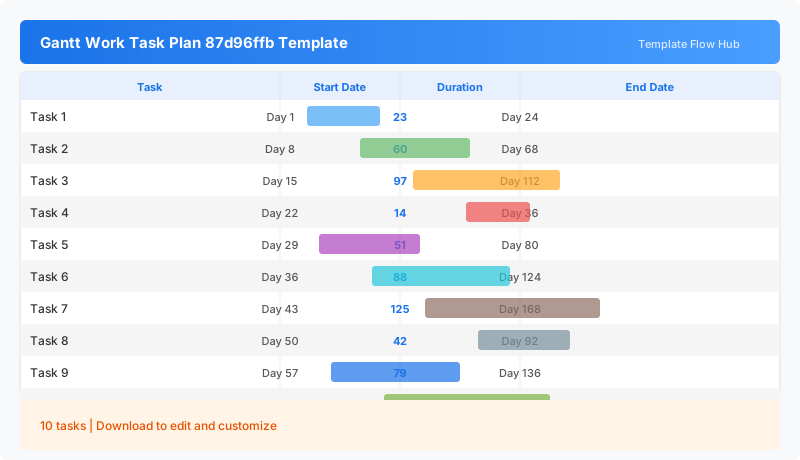
This work task gantt chart template is an Excel workbook for planning, tracking, and visualizing your project timeline. It features a clean single-sheet layout, 24 automatic formulas to help you manage work task effectively. Whether you are tracking Daily work task scheduling or Team task assignment, this template provides a structured approach to timeline management with automatic calculations that reduce manual work.
Why Use a Google Sheets Work Task Gantt Template?
Excel gantt chart templates give you a familiar, flexible way to manage project timelines without learning specialized project management software. This template is optimized for work task planning with automatic formulas that calculate durations, dates, and progress indicators. The workbook is compatible with Microsoft Excel and other spreadsheet applications that support the XLSX format.
When Should You Use This Work Task Gantt Template?
Use this template when planning daily work task scheduling, tracking team task assignment, or when you need to communicate project timelines to stakeholders. It is suitable for both individual use and team collaboration. The template works best for work task that require structured timeline planning with visual tracking of tasks and milestones.
What's Included
- ✓24 automatic formula calculations
- ✓Editable task rows
- ✓Start and end date tracking
- ✓Automatic duration calculation
How to Use This Template
Who This Template Is For
Available Formats
Excel (.xlsx) — Download the file and open it in Microsoft Excel, Apple Numbers, or any compatible spreadsheet application.
Customization Tips
- 💡Add or remove rows to match your project size.
- 💡Customize colors and formatting as needed.
- 💡Save dated copies for progress tracking over time.
Use Cases
- Daily work task scheduling
- Team task assignment
- Personal productivity tracking
- Workflow planning
- Task deadline management
Download or Copy
Frequently Asked Questions
Related Templates
Last updated: 2026-07-12